iGram World: Download Reels, Stories & Photos, No Login
A hands-on guide to igram.world: Reels, photos and Stories saved in one tap with no Instagram login, the exact file you get for free, the carousel bug we hit, and what to do about it.
Verdict
iGram World does what it says for Reels, single photos and Stories: paste a public link at igram.world, tap Download, no login, no install. The free file is what the site calls “lower quality”, the desktop site puts a paid HD offer in front of the free button, and on the day we tested every multi-photo carousel failed. Usable, with those limits in mind.
Checked 16 October 2026 against our review method. Links to iGram World (igram.world) are nofollow.
Pros
- No Instagram login, password or app install; the site only touches public posts
- Reels, single photos and Stories saved in one tap on a phone, with the caption as the file name
- Valid HTTPS, no blocklist entries, a contact address on its own domain
- The site's FAQ is accurate about login, private accounts and free quality
Cons
- Every multi-photo carousel we tried came back “No image available” with Download buttons that did nothing
- Free video is what the site calls “lower quality”: 360 to 720 pixels wide in our tests, set by the reel; HD, 4K and MP3 need a paid Televzr plan
- On a desktop browser an upsell screen sits between you and the free download
- Google ad slots, a consent prompt and a floating video ad on every page; the “iGram app for Android” link is an APK file, not a store listing
What we found when we tested iGram World
The whole job on a phone is three taps: copy the post link in Instagram, paste it into the box at igram.world, tap Download. We did that on 16 October 2026 with a NASA Reel, a National Geographic photo and a NASA profile, in Chrome at an Android phone size and again in Safari's engine at iPhone size. Nothing asked us to log in. The Reel landed as a 44-second MP4, the photo as a JPG, and the Stories tab listed the account's current story with its own button.
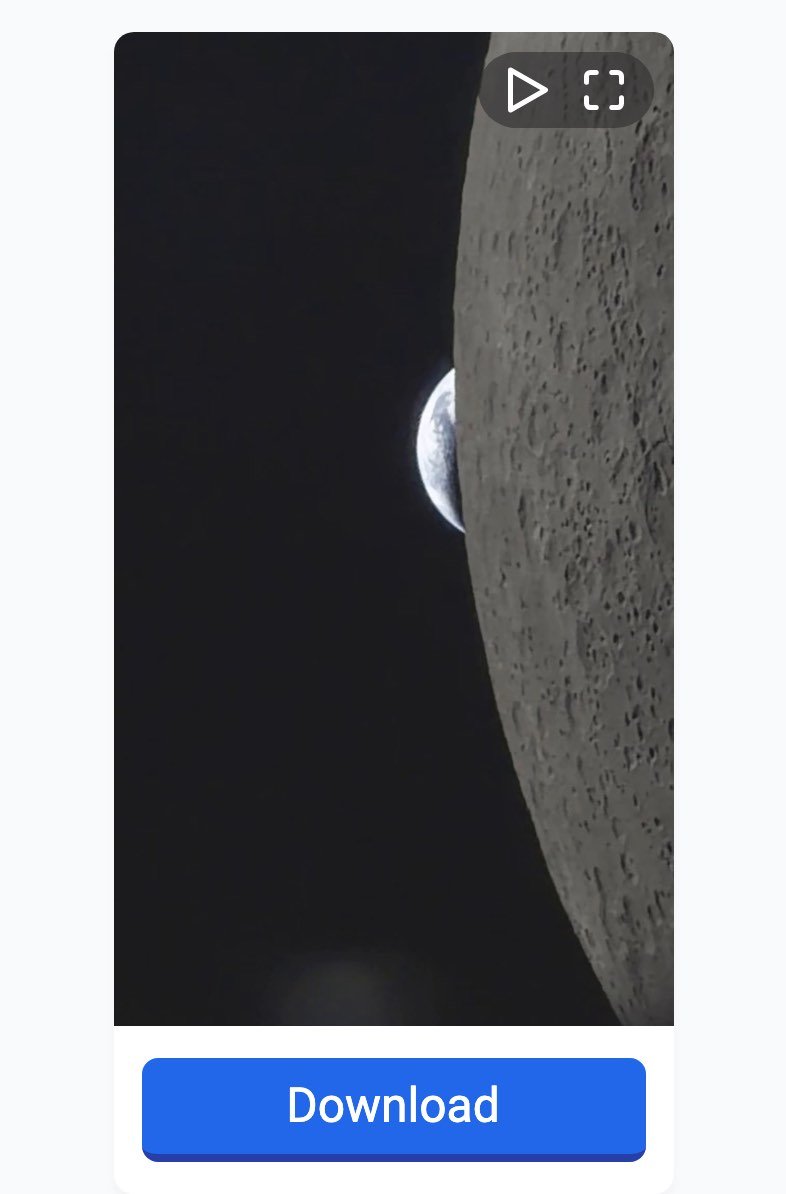
What a Reel looks like on igram.world once the link is pasted, captured 16 October 2026 on an Android-size screen. One Download button, no sign-in.
Two things stood out. Every post with more than one photo failed: the page showed grey “NO IMAGE AVAILABLE” placeholders and Download buttons that led nowhere, on two posts from two accounts, on a phone and on a desktop, for as long as we kept trying. And the free file is deliberately limited. The site says so in its FAQ, and our Reel measured 718 pixels wide. HD, 4K and MP3 are sold separately. The rest of this guide goes through each content type, the login and iPhone questions, and the workaround for carousels.
Do you have to sign in to Instagram first?
No. At no point in our tests did igram.world ask for an Instagram account, a password, or permission to open the Instagram app. It reads the public page behind the link you paste, so it can only reach what anyone could see while logged out. A private account's posts fail even if you follow that account. The site's own FAQ puts it plainly:
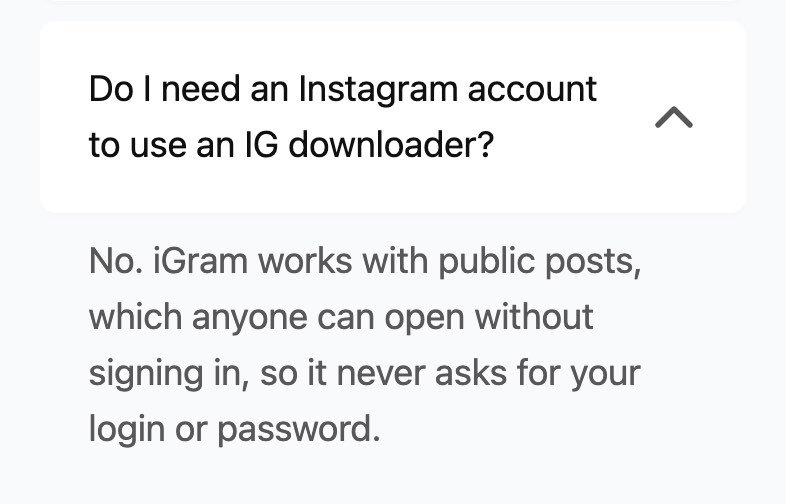
The login question in igram.world's FAQ, opened on 16 October 2026. The answer matched what we saw: nothing asked us to sign in.
One thing to settle before you start: which iGram you are on. The AI answer at the top of Google's results for “i gram” in India cites igram.world, and that is the site this guide tests. Its English pages sit at igram.world/en1/ and /en2/, and there is a Hindi version at /hi1/. igram.site, igram.io and igram-world.in are separate sites that use the same name; we did not test them. On igram.world the footer reads “We are not affiliated with Instagram or Meta”, the contact is contact@igram.world, and the “iGram app for Android” link downloads an APK file from a different domain rather than opening the Play Store. The browser version needs none of that.
How to download an Instagram Reel with iGram World
This is the flow we ran on an Android-size screen, and it is the same for any single video post.
- In Instagram, open the Reel, tap the share arrow and choose Copy link.
- Open igram.world in your browser. Tap the box that says Insert instagram link here and paste. A Clear button appears beside it.
- Tap the blue Download button under the box.
- After a few seconds a result card appears with a preview of the video and a second Download button. Tap it.
- The MP4 goes to your Downloads folder. On our test phone it was named after the post's caption.
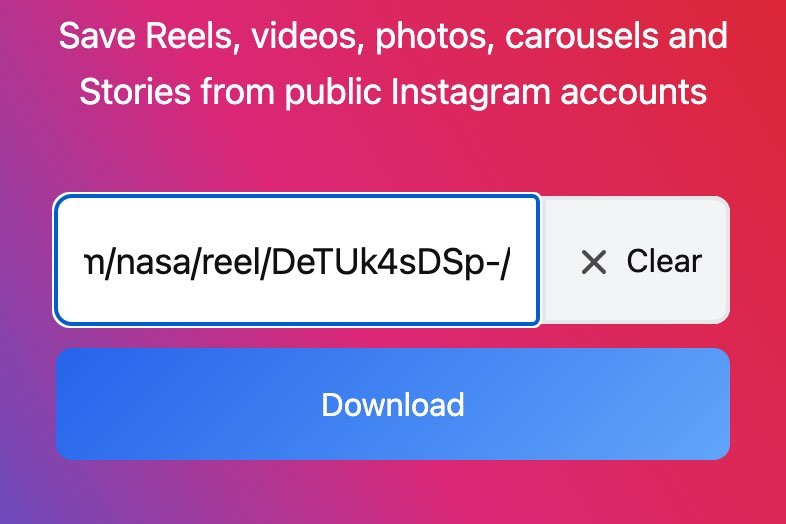
Steps 2 and 3 on igram.world, captured 16 October 2026: the Reel link in the box under “Save Reels, videos, photos, carousels and Stories from public Instagram accounts”, with the Download button below.
Our Reel was NASA's “POV: you're watching the Earth set”, five days old at the time. The result card showed the preview, the Download button, the caption, and the post's age and counts. The saved file was an MP4 of 3,194,416 bytes, 718 by 1276 pixels, 43.8 seconds long, named “POV- youre watching the Earth setWe just released hundreds of new images and hours of new audio.mp4”. The name is the caption with punctuation stripped, which is worth knowing if your phone's file manager truncates long names.
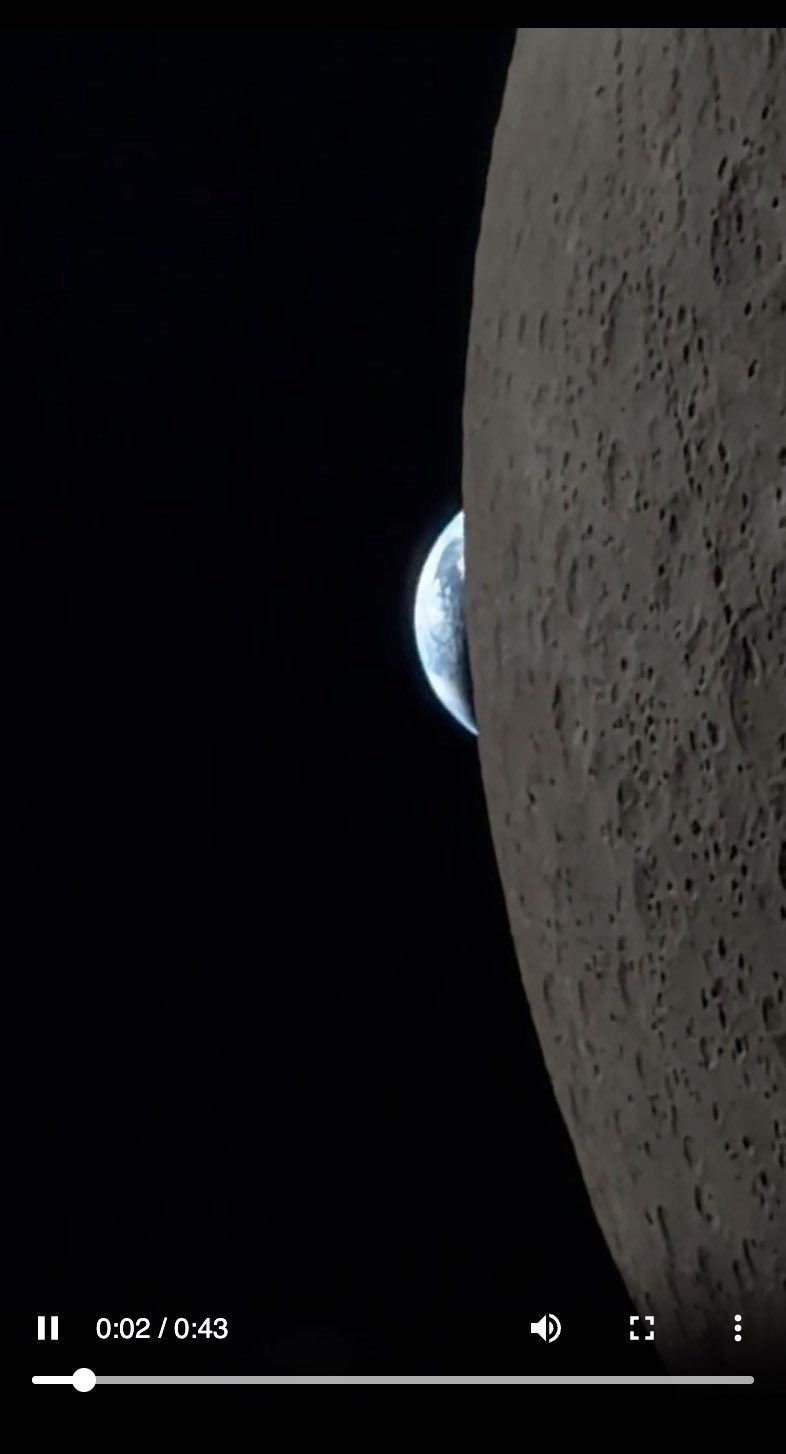
The saved file, opened from Downloads and playing in the browser on 16 October 2026: 43 seconds of video with sound, 718 pixels wide.
How to download a single photo
Photos use the same box. Copy the post link from the share menu, paste, tap Download. The result card shows the photo and one button, and the file is a JPG. Ours was a National Geographic photo of a Falcon 9 launch, and it saved at 1170 by 1463 pixels and 84 KB. That is a little larger than the “usually up to 1080 × 1350 pixels” the site's FAQ promises, so the site is not shrinking photos; it passes on whatever size Instagram stores.
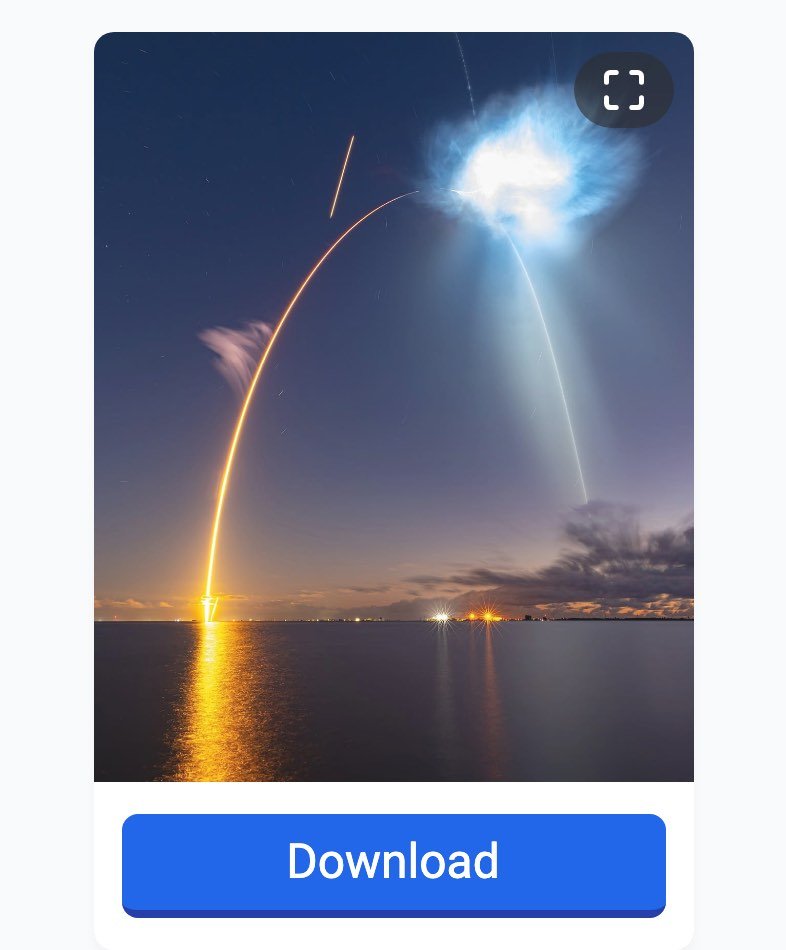
A single photo post on igram.world, captured 16 October 2026. One photo, one Download button, and a JPG at the size Instagram keeps.
There is a dedicated photo page at igram.world/en1/photo, but it is the same box with different text around it. We ran one of our carousel tests through it and got the same result as on the homepage, which brings us to the problem.
Why do carousel posts show “No image available”?
A carousel is a post you swipe through, with two or more photos or videos. On 16 October 2026, every carousel we pasted came back broken. A three-slide NASA post produced three grey cards reading “NO IMAGE AVAILABLE”, each with a Download button. A four-slide National Geographic post produced four. Tapping the buttons did nothing, and when we looked at the page, the buttons had no file address behind them at all.
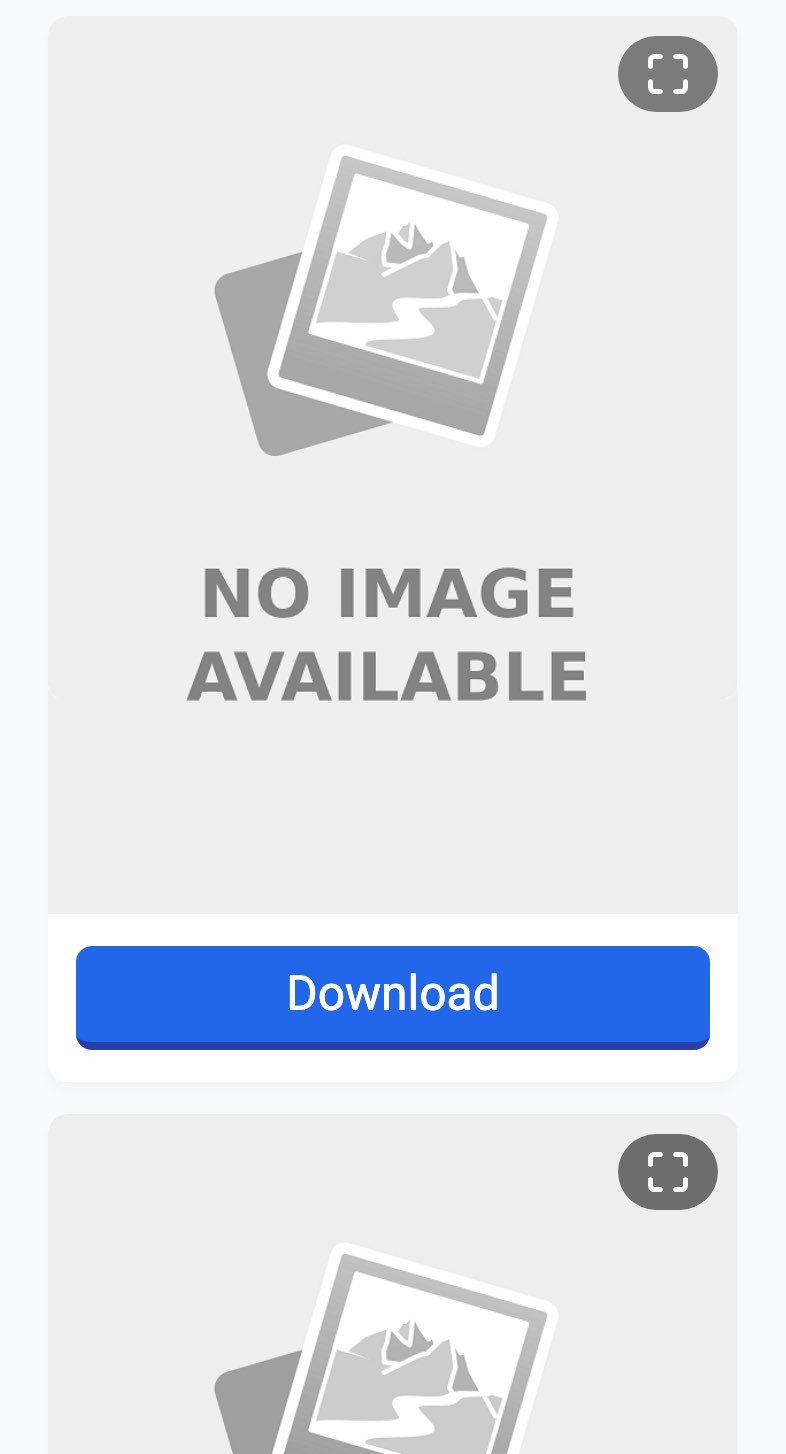
A three-photo NASA carousel on igram.world, captured 16 October 2026. Placeholders instead of previews, and Download buttons with nothing behind them.
We tried on a phone-size screen and on a desktop window, through the homepage and through the photo page, and again about an hour later. Same result each time, while single photos and Reels kept working in between. What makes it a bug rather than a block is that the site's own reply to our request did contain the slides: the server sent back every image address, and the page simply did not attach them to the buttons. That can be fixed on their side any day, so if your carousel works, this section is out of date. On the day we checked, it did not.
How to download a carousel anyway
The workaround is the Story Saver, which doubles as a profile browser. It takes an account link instead of a post link and lists the account's posts one media file at a time, so a carousel appears as separate cards, each with its own working Download button.
- Open the account's profile in Instagram, tap the three dots or the share arrow, and copy the profile link. It looks like instagram.com/nasa/.
- Go to igram.world/en1/story-saver. The box there says Paste a Story or profile link. Paste the profile link and tap Download.
- A profile card appears with four tabs: POSTS, STORIES, HIGHLIGHTS and REELS. Stay on Posts and scroll until you reach the carousel.
- Each slide is listed as its own card under the same caption. Tap Download on each one you want.
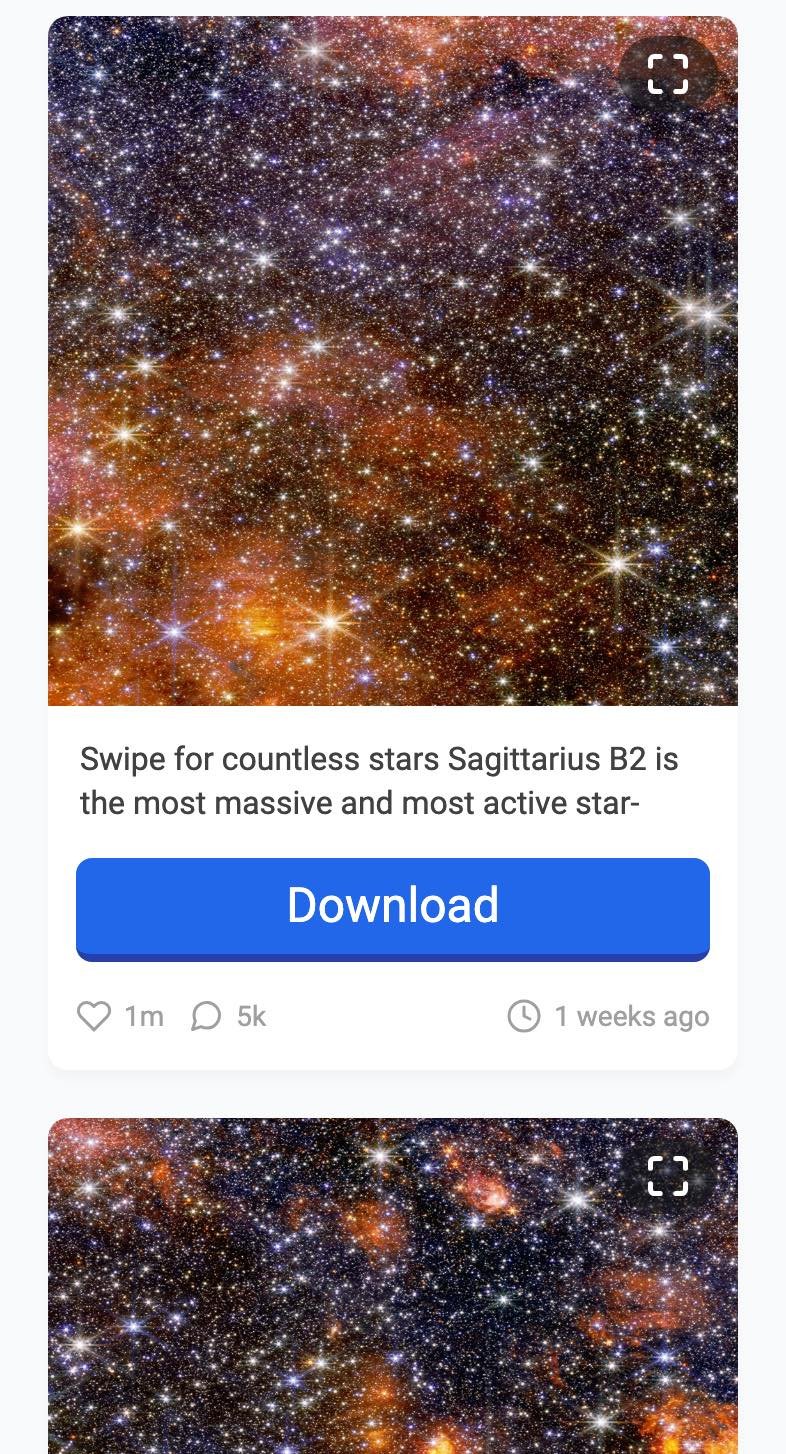
The same NASA carousel in igram.world's profile view, captured 16 October 2026. The “Swipe for countless stars” post is split into one card per slide, and these buttons work.
The list loads a screen at a time as you scroll, so a carousel from months ago means a lot of scrolling. For recent posts it is quick, and it is the only way we found to get carousel slides out of the site on the day.
How to download Instagram Stories
Stories are the one type where you paste a profile, not a post, because a story has no share link of its own once it is playing. The Story Saver page at igram.world/en1/story-saver handles it.
- Copy the account's profile link and paste it into the Story Saver box.
- Tap Download, wait for the profile card, then tap the STORIES tab.
- Each current story appears as a card with a Download button. Stories older than 24 hours are gone unless the account saved them to Highlights.
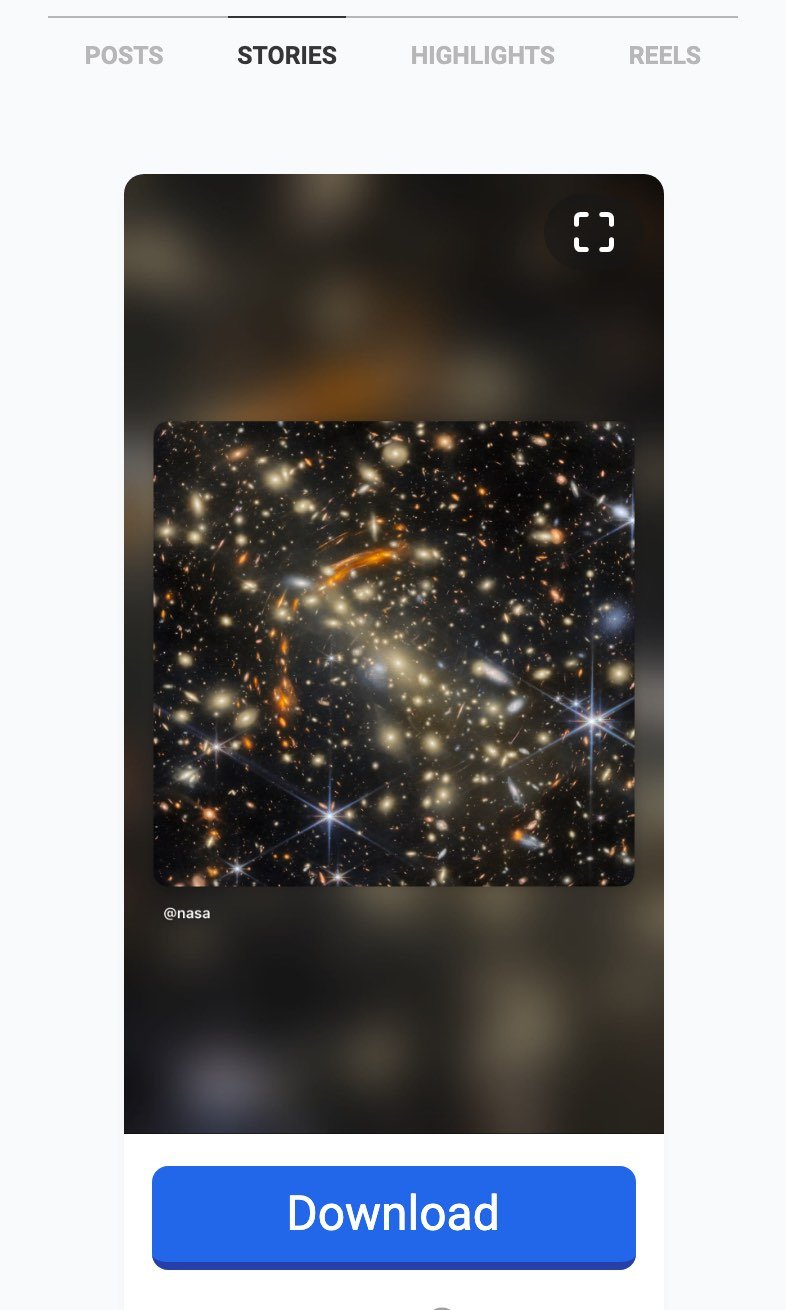
NASA's one current story in igram.world's Story Saver, captured 16 October 2026, with the Stories tab selected and a Download button under the card.
NASA had one story up when we checked, posted 18 hours earlier, and it appeared with a button. The Highlights tab did not respond to a tap in our test, and there is a separate highlights page at igram.world/en1/highlights that we did not test, so treat Highlights as unverified here. The site's own troubleshooting list says a story link that fails is usually one that has expired.
Does iGram World work on iPhone?
Yes, in Safari, with one extra step at the end. We repeated the Reel test in WebKit, the browser engine Safari is built on, at iPhone 13 screen size. The paste box, the result card and the Download button rendered the same way as on Android, and tapping Download produced the same MP4 with the same caption-based name. What we could not do is watch where iOS puts it, because that happens outside the browser. The site has a card for exactly that on its video page, and the steps match how Safari has handled downloads since iOS 13:
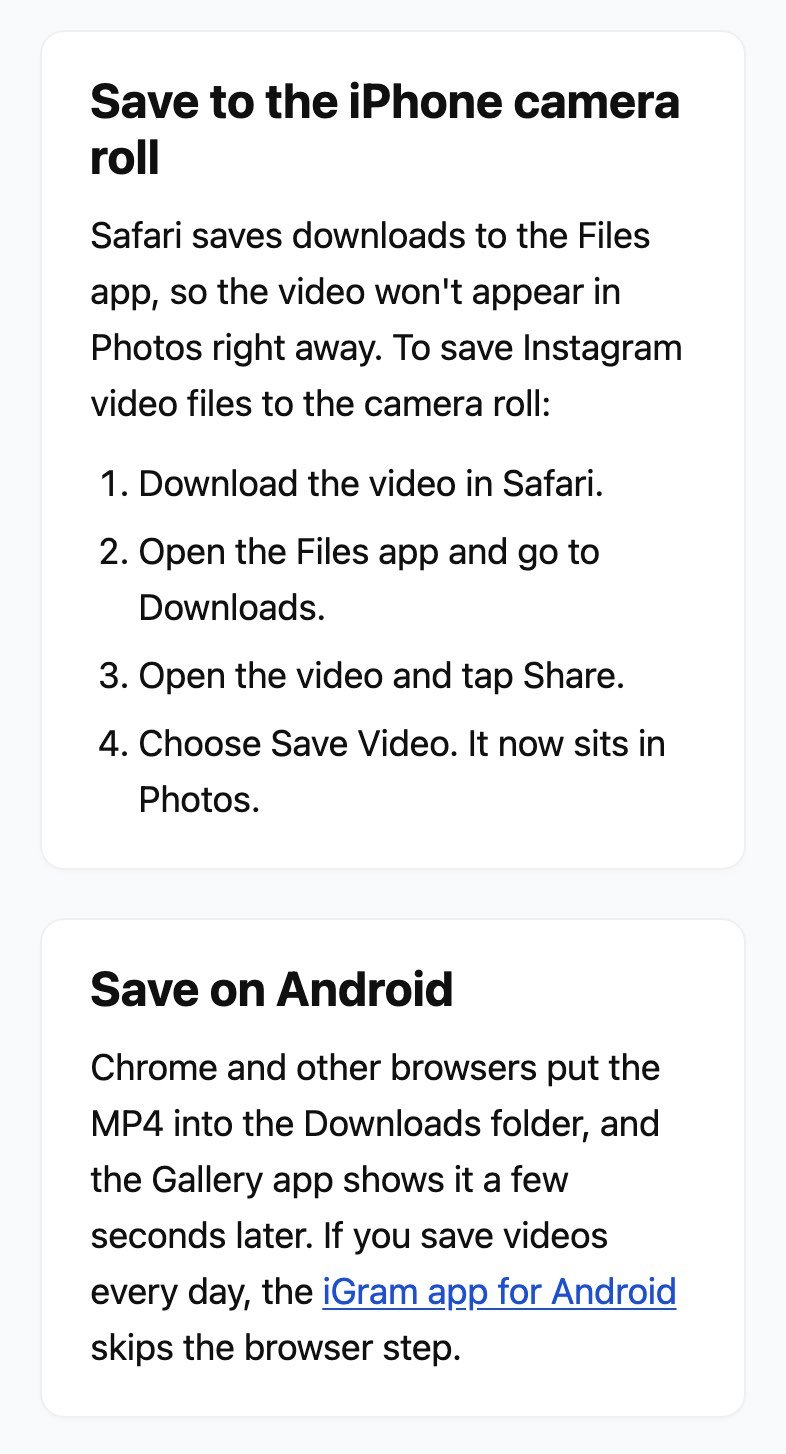
The iPhone card on igram.world's video page, captured 16 October 2026. Safari saves to the Files app; Share and Save Video moves the file into Photos.
In short: download in Safari, open the Files app, go to Downloads, open the video, tap Share, choose Save Video. On Android there is no extra step; Chrome drops the MP4 into Downloads and the Gallery app picks it up. On either phone, nothing is installed and the site's “app” is not required.
What quality do you get free, and what costs money?
The site's FAQ is candid: “Free downloads come in lower quality. Premium plans add HD and 4K video, MP3 audio and faster downloads.” In practice the free download is one MP4 at whatever single rendition Instagram serves for that reel, and it depends on the reel, not on which button you press. Our NASA Reel came out 718 pixels wide and 1276 tall; two National Geographic Reels came out at 720 by 1280; a fourth Reel from a small account came out at 360 by 640. Expect anything in that range: fine on a phone, soft on a large screen. Each file was identical, byte for byte, whether we took it on the phone or through the desktop site's “quick browser download in lower quality” link. Photos are not reduced; our JPG came out larger than the FAQ's own figure.
The paid tier is not iGram's own. On a desktop browser, pasting a link shows a “Your files are ready” screen that asks “Download high-quality video or audio only?” with a large “Get HD video or MP3” button and, in small text beneath it, “I just want a quick browser download in lower quality”. The HD button opens a plan picker, “Select a plan to unlock HD video and MP3 audio”, with 1, 6 and 12 month options and a button reading “Unlock access for 11.99$*”, next to a box accepting the Televzr Terms of Service. Televzr is a desktop downloading app, so what you are buying is a separate program, not a switch on the website. On a phone none of that appears; the result card goes straight to the free Download button. The site decides by the browser, not the screen: a desktop browser squeezed to phone width still gets the offer, and a phone browser never does.
| What you want | Free on igram.world | Needs the paid plan |
|---|---|---|
| A Reel or video to watch on a phone | Yes, at what the site calls “lower quality”: 360 to 720 px wide in our tests, set by the reel | No |
| A photo at the size Instagram stores | Yes | No |
| A Story from a public account | Yes | No |
| A carousel | Only through the profile view on the day we tested | No |
| HD or 4K video | No | Yes, from 11.99 $ a month via Televzr |
| MP3 audio only | No | Yes, same plan |
Is igram.world safe to open?
Loading the site is not dangerous. It serves a valid certificate from Google Trust Services, expiring 1 December 2026, and Spamhaus DBL, SURBL and URIBL do not list it. The download itself does not come from Instagram directly: the file is fetched through a proxy at media.igram.world with a signed address that expires, which is how the site hides your request from Instagram and why a result card's button stops working if you leave it open for a long time.
It is an ad-funded page. On first load we recorded Google Tag Manager, Google Analytics, Cloudflare Insights, Google's ad services with a consent prompt, and a floating video ad player pinned to the bottom corner of the phone screen that had to be closed before some buttons could be reached. None of that stops the tool working, but on a slow connection in India it is most of what you are waiting for. Use a browser with an ad blocker if that bothers you; the site works with one. And remember what the site's own footer says: it is not Instagram, and downloading someone else's post gives you a copy, not permission to reuse it. If you want to style a caption for your own repost, our Instagram font generator and the guide to changing your bio font are the on-topic tools here.
Verdict: a working downloader with a bug and a paywall
Our review method scores 3 as “usable for some purposes; clear drawbacks.” That is where iGram World sits. For a Reel, a single photo or a Story from a public account it does the job in one tap with no login, and the site's own documentation about login, private accounts and quality is honest. Against that: free video is capped, the desktop site leads with a paid offer for a different product, every carousel we tried was broken on the day, and the page is heavy with ads and trackers. We will re-check within six months, and the carousel result in particular may change sooner.
What we verified
| Check | Finding |
|---|---|
| Site tested | igram.world, English pages at /en1/ and /en2/, Hindi at /hi1/. Not igram.site, igram.io or igram-world.in |
| Login | None asked for. Public posts only; private accounts fail (site FAQ and our test) |
| Reel tests | NASA Reel saved as MP4, 718 × 1276 pixels, 43.8 seconds, 3,194,416 bytes; two National Geographic Reels at 720 × 1280; a fourth Reel at 360 × 640. Each the same file on a phone and on desktop |
| Photo test | National Geographic photo saved as JPG, 1170 × 1463 pixels, 84 KB |
| Carousel test | A 3-slide and a 4-slide post from two accounts: “No image available” and Download buttons with no link, on phone and desktop, repeated over an hour |
| Stories | Profile link in the Story Saver, Stories tab: one story listed with a Download button |
| iPhone | Result card and download reproduced in WebKit at iPhone size; moving the file to Photos follows the site's four-step Files app card |
| Free and paid | “Free downloads come in lower quality.” HD, 4K and MP3 through a Televzr plan, “Unlock access for 11.99$” a month |
| Ads and trackers | Google Tag Manager, Google Analytics, Cloudflare Insights, Google ad slots with a consent prompt, a floating video ad player |
| HTTPS | Valid certificate from Google Trust Services, expires 1 December 2026 |
| Blocklists | Not listed on Spamhaus DBL, SURBL or URIBL (16 Oct 2026) |
| Contact | contact@igram.world; footer states “We are not affiliated with Instagram or Meta” |
| Android app link | Points to an APK file on downloadhelper.app, not to the Play Store |
All findings as of 16 October 2026. Sites change; see how and when we re-check.
What we checked
- Four Reels, a single photo, two carousels and a profile's Stories tested in Chromium at an Android phone size on 16 October 2026; each file fetched and measured
- The Reel repeated in WebKit, the engine behind Safari, at iPhone size, and in a 1280-pixel desktop window
- The saved MP4 and JPG opened and measured: pixel size, duration and bytes
- The site's own reply for a carousel read to see whether the slides were returned
- Both English homepages, the Reels, Story Saver, video and FAQ pages read in a browser
- TLS certificate read from the live server; Spamhaus DBL, SURBL and URIBL queried over DNS
- Every network request on the homepage recorded by host
- Nine screenshots captured from the live site on 16 October 2026; each is cropped, never edited
Frequently asked questions
Does iGram World need an Instagram login?
No. We pasted public Reel, photo and profile links and were never asked to sign in. The site's own FAQ says it works with public posts only and never asks for a login or password. Private accounts do not work, even if you follow them.
Does iGram World work on iPhone?
Yes, in Safari. We reproduced the result card and the download in WebKit, the engine behind Safari, at iPhone size. Safari puts the file in the Files app under Downloads; open it there, tap Share and choose Save Video to get it into Photos.
Why does iGram World say No image available?
In our tests on 16 October 2026 that happened on every post with more than one photo. The placeholders came with Download buttons that had no link behind them. The site's own reply did contain the slides, so the page was not showing what it had. Paste the profile link into the Story Saver instead; the profile view lists every slide separately.
What is i gram dot world?
It is how people say igram.world out loud. That is the site this guide tests: the English pages sit at igram.world/en1/ and /en2/, with a Hindi version at /hi1/. igram.site, igram.io and igram-world.in are different sites that borrow the name.
What do you get for free on iGram World?
Unlimited downloads, but video in what the site calls lower quality. Our NASA Reel came out as an MP4 718 pixels wide, identical on a phone and on a desktop; other Reels came out at 720 and at 360 pixels wide, because the site passes on whichever single rendition Instagram serves for that post. HD, 4K and MP3 audio are sold as a Televzr plan from 11.99 $ a month.
Where does the file go on Android?
Chrome saves it to the Downloads folder and the Gallery app picks it up a few seconds later. The file is named after the post's caption, so a long caption makes a long file name.